
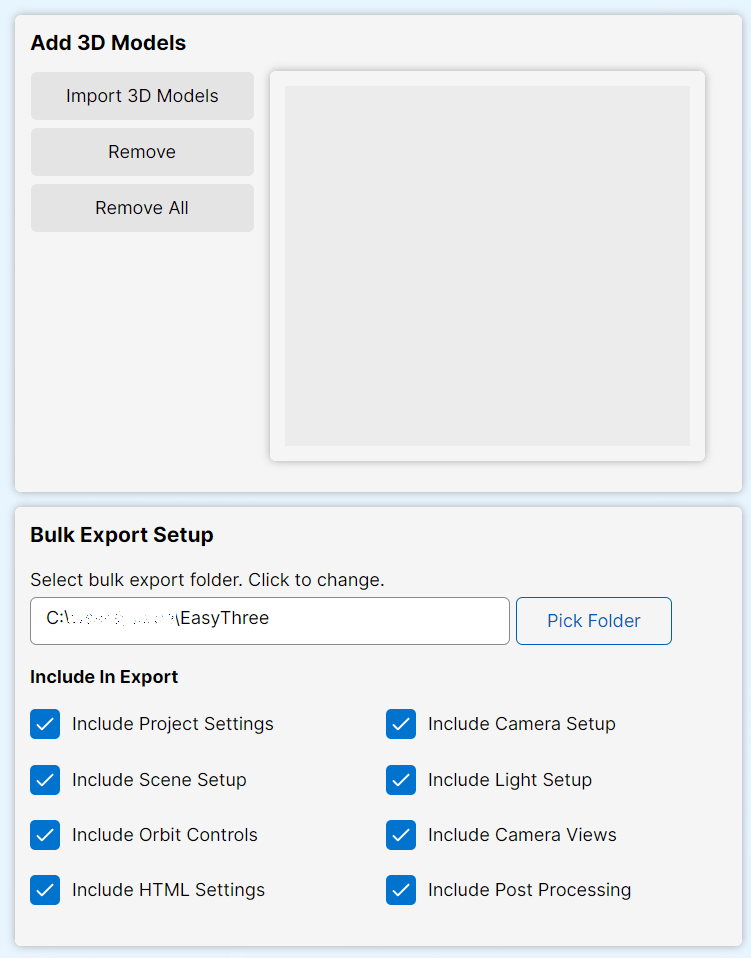
The Bulk Export tab streamlines the process of creating multiple 3D web projects with minimal effort. Designed for rapid development, this tool allows you to import several 3D models, configure a shared export folder, and automatically generate individual projects for each model, complete with predefined setups from other configuration tabs.
Key Features
- Import Multiple 3D Models
Quickly load one or more 3D objects for batch processing. - Export Folder Configuration
Choose a central folder where all generated projects will be saved. - Automated Project Creation
For each imported model, a separate project is created with consistent structure and settings. - Include Predefined Setups
Seamlessly integrate configurations from other tabs, such as:- Project Settings
- Scene Setup
- Orbit Controls
- HTML Setup
- Camera Setup
- Lighting Setup
- Post Processing
- Camera Views
- Save & Reopen Projects
Each project is saved with a dedicated configuration file, allowing you to reopen and modify it later as needed. - One-Click Deployment
Use the Create Projects button to instantly generate ready-to-export projects.
Ideal for Rapid Development
Whether you’re building a portfolio, deploying a product showcase, or managing a large batch of 3D assets, the Bulk Export tab accelerates your workflow by automating repetitive tasks and ensuring consistency across projects.